
Adobe Photoshop AI Features: How They Supercharge Workflow (Not Replace Designers)
In recent years, Adobe Photoshop has undergone one of the most significant transformations in its history. With the integration of artificial intelligence through Adobe Firefly and Sensei-powered tools, Photoshop has evolved from a traditional image editing software into a highly intelligent creative assistant. However, one critical point must be made from the outset: AI in Photoshop does not replace designers. Instead, it enhances their capabilities, accelerates workflows, and removes repetitive bottlenecks so creatives can focus on high-value design thinking.
For professional designers, agencies, and creative teams (especially those producing high volumes of marketing assets, like social ads, banners, and product visuals), Photoshop’s AI features can dramatically reduce production time while improving output quality and consistency.
This article explores the key AI features within Photoshop and explains how they increase designer efficiency while preserving the human creativity that defines great design.
The Evolution of AI in Photoshop
Adobe has strategically embedded AI into Photoshop through Adobe Sensei and Firefly, focusing on practical, workflow-driven improvements rather than gimmicks. Instead of automating creativity, Photoshop AI automates time-consuming technical tasks such as masking, retouching, object removal, and ideation.
This shift allows designers to:
- Spend less time on manual editing
- Iterate concepts faster
- Deliver projects quicker without compromising quality
- Focus on strategy, layout, and visual storytelling
In fast-paced environments like digital marketing agencies or eCommerce content teams, this translates directly into higher output with the same creative resources.
Generative Fill: The Most Transformational AI Feature

4
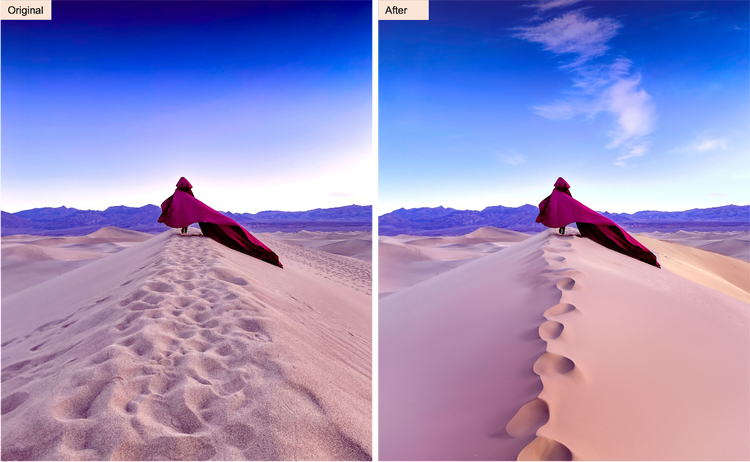
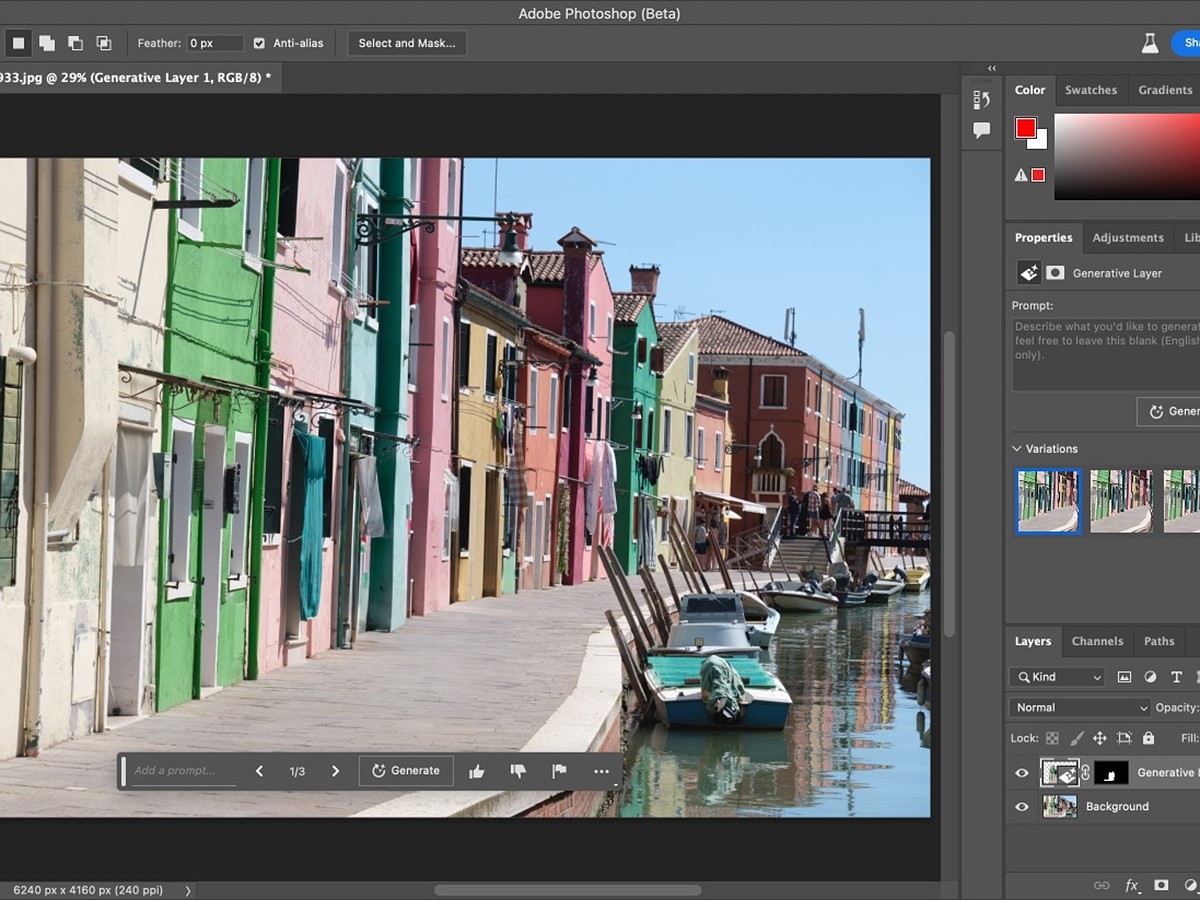
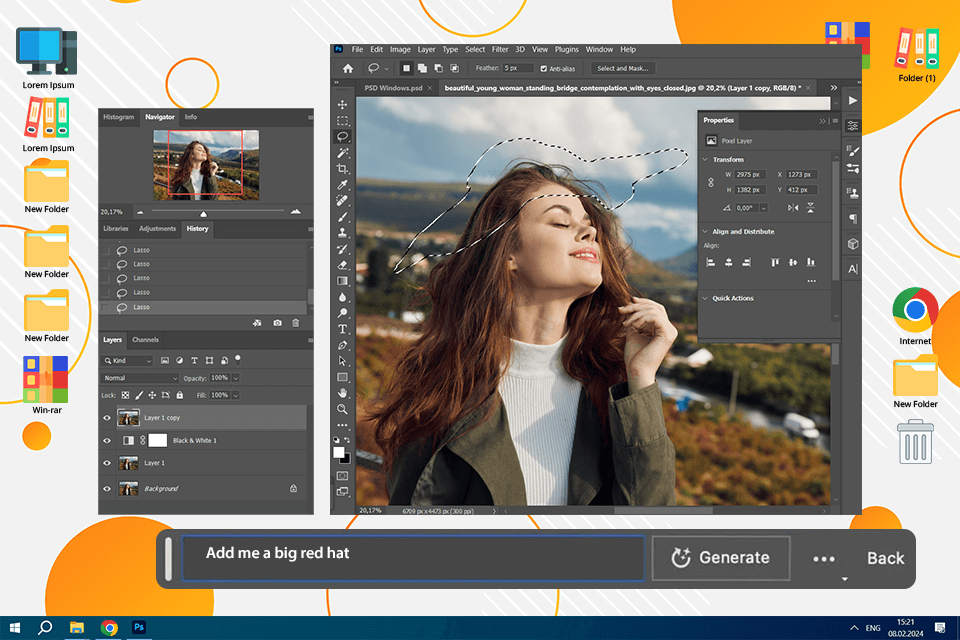
Generative Fill is arguably the most powerful AI feature introduced in modern Photoshop. It allows designers to add, remove, or extend elements in an image using simple text prompts.
How It Improves Workflow
Traditionally, tasks like background extension, object removal, or scene reconstruction required:
- Manual cloning
- Advanced masking
- Hours of retouching
With Generative Fill, designers can:
- Remove unwanted objects in seconds
- Expand backgrounds for social media formats instantly
- Create variations of concepts without restarting projects
For example, a designer creating Facebook ad creatives can quickly adapt one product image into multiple aspect ratios (1:1, 4:5, 16:9) without reshooting or rebuilding assets.
Why It Doesn’t Replace Designers
Generative Fill still relies on:
- Strong composition knowledge
- Art direction
- Prompt precision
- Final refinement
AI generates options, but the designer chooses, edits, and perfects the result. The creative judgment remains entirely human.
Remove Tool & AI Object Selection: Precision in Seconds


4
One of the most time-consuming processes in Photoshop has always been accurate selections and clean masking. AI-powered Object Selection and Remove Tool have revolutionised this area.
Key Benefits for Designers
- One-click subject selection
- Accurate hair and edge detection
- Fast background removal
- Cleaner composites with minimal manual refinement
Previously, detailed selections (especially hair, fur, or complex edges) could take 30–60 minutes. AI now reduces this to seconds, allowing designers to move straight into creative editing rather than technical groundwork.
Real-World Workflow Impact
For agencies producing product imagery, lifestyle visuals, or eCommerce assets, this means:
- Faster catalogue production
- Quicker campaign turnaround
- Reduced outsourcing costs for retouching
Generative Expand: Instant Format Adaptation for Marketing

4
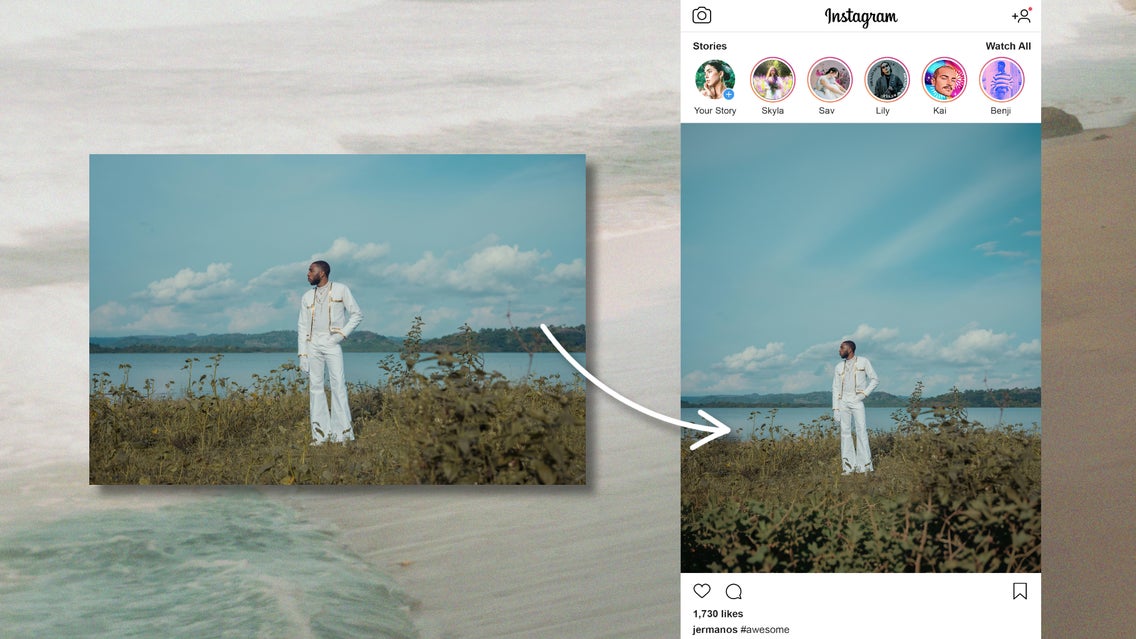
Designers constantly need to resize visuals for multiple platforms—Instagram, Google Ads, YouTube thumbnails, banners, and email graphics. Generative Expand uses AI to intelligently extend the canvas while maintaining visual consistency.
How It Speeds Up Production
Instead of rebuilding designs for each platform, designers can:
- Extend backgrounds naturally
- Maintain lighting and perspective
- Repurpose assets across channels instantly
For digital marketing workflows (like producing dozens of ad creatives weekly), this feature alone can save hours per campaign.
Neural Filters: Advanced Retouching Without Complexity


4
Neural Filters introduce AI-powered enhancements such as:
- Skin smoothing
- Colour correction
- Lighting adjustments
- Style transfers
- Facial refinement tools
Designer Advantages
These tools allow designers to perform complex retouching without destructive editing or heavy manual workflows. Instead of stacking adjustment layers and masks for each tweak, Neural Filters offer intelligent, adjustable presets that speed up professional retouching.
Importantly, they are non-destructive, meaning designers maintain full creative control.
Text-to-Image and AI Concept Ideation
Photoshop’s integration of Firefly enables designers to generate visual concepts directly within their workspace. This is particularly valuable during the ideation phase.
Workflow Benefits
- Rapid mood board creation
- Faster concept exploration
- Quick visual prototyping for clients
- Reduced dependency on stock image searches
For example, when developing ad creatives or branding visuals, designers can test multiple visual directions before committing to final production.
Again, AI generates ideas—but designers curate, refine, and align visuals with brand strategy.
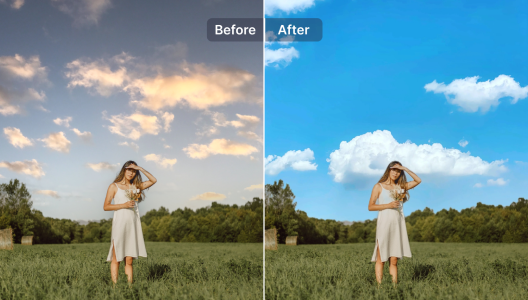
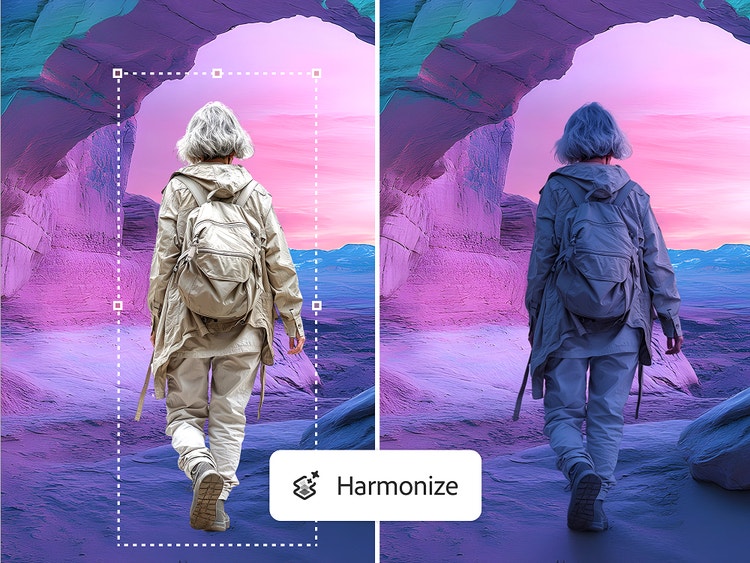
AI-Powered Sky Replacement & Lighting Matching

4
Lighting and environment consistency are essential for professional composites. Photoshop’s AI-powered Sky Replacement and lighting matching tools allow seamless environmental edits.
Efficiency Gains
- Instant sky swaps with realistic lighting
- Automatic colour grading alignment
- Faster compositing for advertising visuals
Previously, achieving realistic composites required advanced colour grading expertise and hours of manual adjustments. AI now handles the technical alignment while designers focus on creative direction.
Smart Selection, Auto Masking & Batch Efficiency
Another overlooked AI advantage is automation across repetitive tasks. Features like auto masking, smart selections, and intelligent adjustments reduce production friction.
For high-volume creative teams (especially those running paid ads or eCommerce campaigns), this means:
- Faster template creation
- Consistent branding across assets
- Scalable design production without sacrificing quality
This aligns perfectly with modern marketing workflows where speed and consistency are critical.
AI as a Creative Assistant, Not a Replacement
A common misconception is that AI tools in Photoshop will replace designers. In reality, the opposite is happening.
AI removes:
- Repetitive manual labour
- Technical bottlenecks
- Time-heavy editing processes
But it cannot replace:
- Creative strategy
- Brand storytelling
- Design psychology
- Client interpretation
- Visual decision-making
AI lacks human taste, emotional intelligence, and contextual understanding—three core pillars of great design.
A poorly directed AI-generated visual is still inferior to a well-thought-out human design concept.
How Photoshop AI Elevates Professional Skill Sets
Rather than diminishing the role of designers, AI elevates their skill set by enabling them to:
- Work faster without burnout
- Take on more complex projects
- Experiment creatively with less risk
- Deliver higher-quality outputs in shorter timelines
For agencies, freelancers, and in-house teams, this creates a competitive advantage. Designers who embrace AI tools can produce more content, iterate faster, and maintain premium creative standards.
The Future of Designer Workflows with AI
Looking ahead, AI in Photoshop will continue evolving, but its role will remain collaborative. The future workflow will likely involve:
- AI-assisted ideation
- Designer-led creative direction
- AI-accelerated execution
- Human refinement and polish
This hybrid approach ensures that creativity remains human-led while production becomes more efficient.
Final Thoughts: AI Enhances Creativity, It Doesn’t Replace It
Photoshop’s AI features represent one of the most powerful workflow advancements in modern design software. Tools like Generative Fill, Neural Filters, and AI selections significantly reduce time spent on technical editing, allowing designers to focus on creativity, storytelling, and strategic visual communication.
For professionals producing high volumes of creative assets—such as digital marketing agencies, eCommerce brands, and content teams—the productivity gains are substantial. Projects that once took hours can now be completed in minutes without compromising design integrity.
However, the most important takeaway is this:
Photoshop AI is a tool, not a designer.
Learn more on BigRockDigital Ai Photoshop Course
It enhances human creativity rather than replacing it. The designer remains the decision-maker, the strategist, and the creative visionary behind every successful visual.
Those who embrace AI within Photoshop will not be replaced—they will simply become faster, more efficient, and more creatively empowered than ever before.
